Configuring Roles in KwikWork
Roles can now be created and used for presentation of UX components. In KwikWork 2.1, roles that exist in the application space are mandatory in the creation of events. Roles must first be created using Case Manager or Workplace and are then added to KwikWork. For details on creating roles in Case Manager or Workplace refer to the IBM documentation.
Step 1 - Add Application Space to Desktop
- Open the Content Navigator Administration view for the desktop that will be configured. By default, this should open the desktops configuration panel.
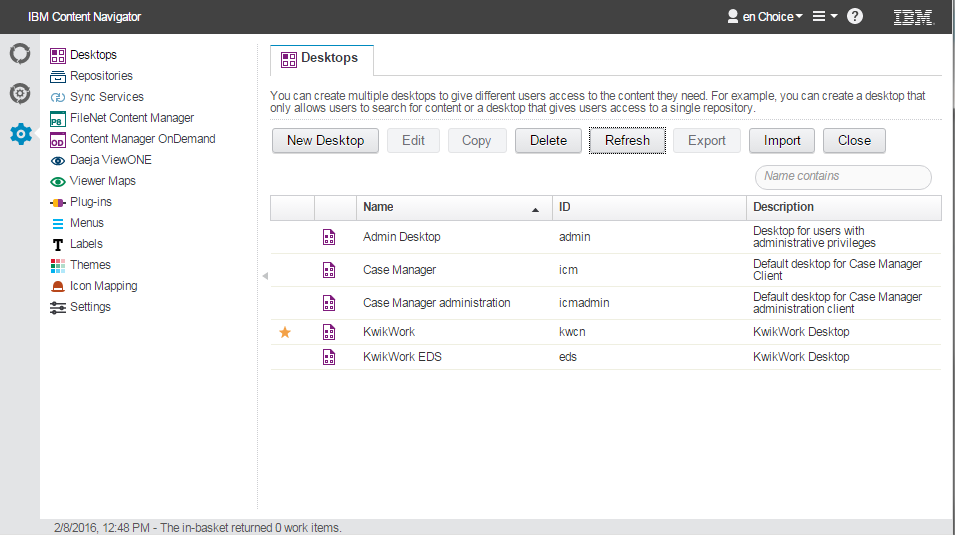
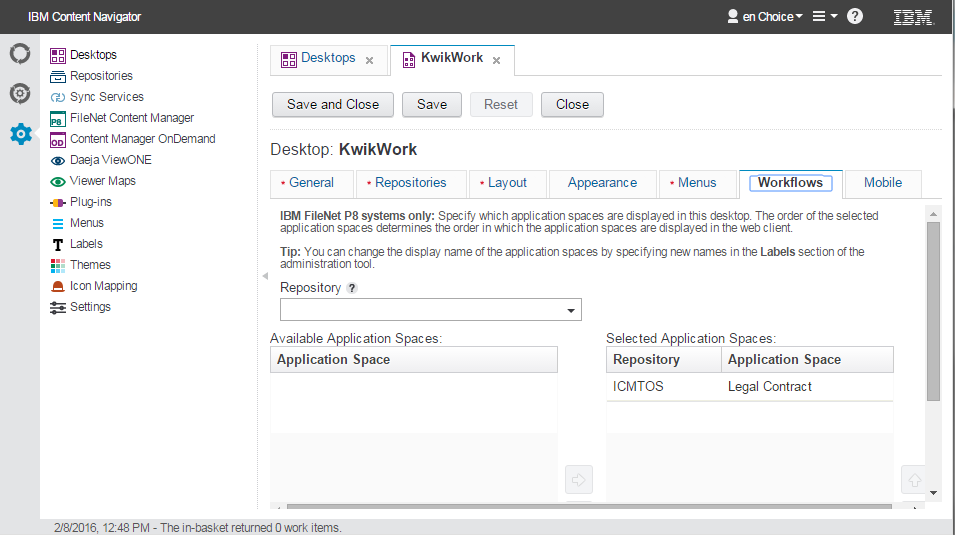
- Edit the desired desktop then navigate to the 'Workflows' tab.
- Choose a repository from the repository list then select the application space where the roles were created from the list of available application spaces.
- Navigate to the layout tab then open the KwikWork Configuration Panel.
- Select the Workflow tab then update the application space with the name of the application space that was added to the desktop. Application space names are case sensitive.
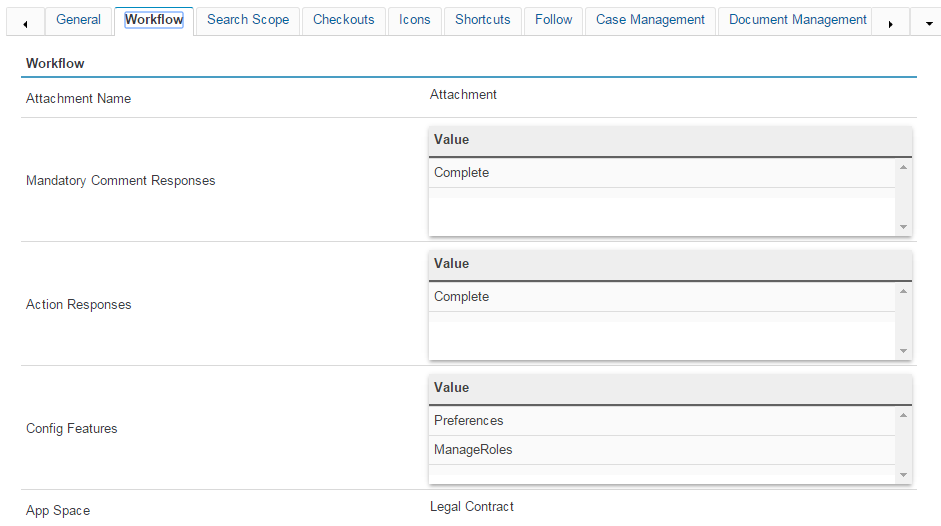
- Add 'ManageRoles' to the list of Config Features if not already active.
- Save the changes then close the KwikWork Configuration Panel.
- Finally click 'Save and Close' to save changes to the desktop configuration then refresh the browser window.
Step 2 - Assign Users to Roles
- Open the KwikWork Title Bar then click 'Manage Roles' to open the Roles Manager.
- Use the Add Users and Groups to add user to various roles as needed.
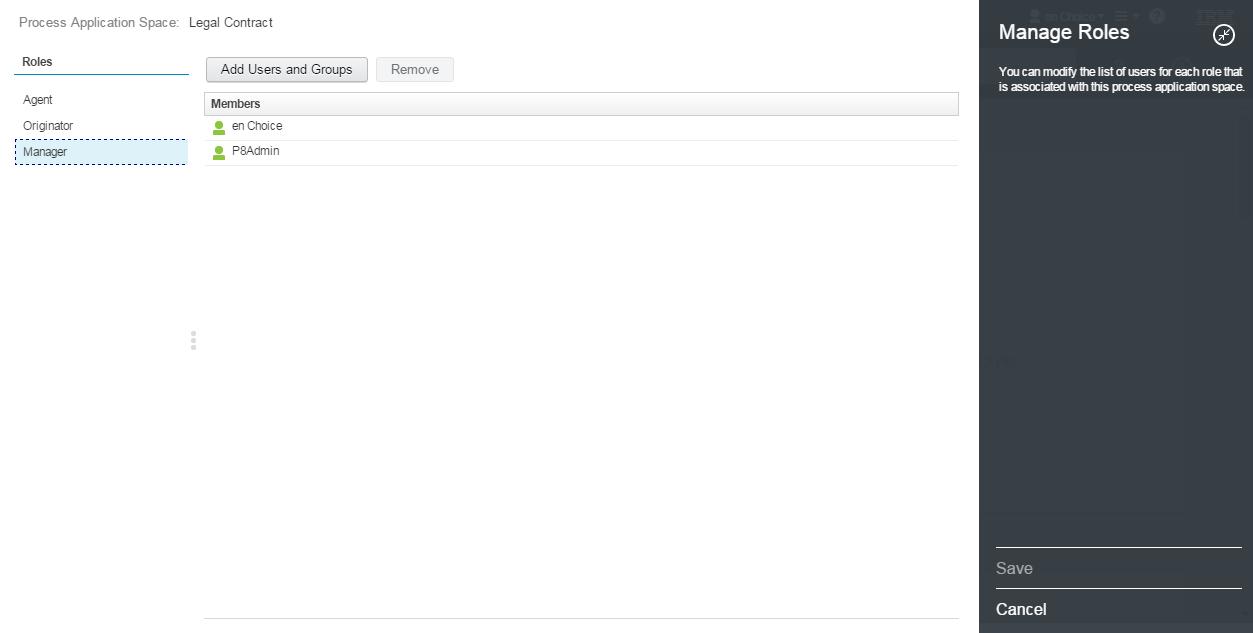
- Finally Click Save to close the Roles Manager.
Step 3 - Update KwikWork Preferences
Each user must update their KwikWork preferences in order to view any events that have been assigned to them. In order to do this, users should:
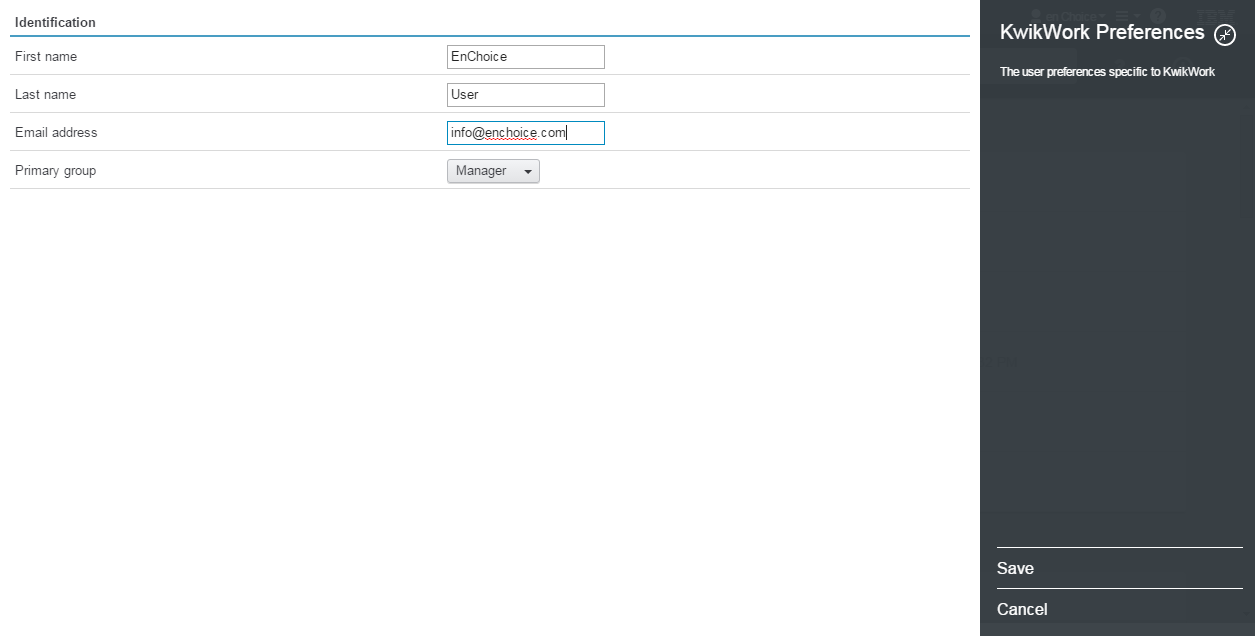
- Open the title bar then click on 'KwikWork Preferences'.
- Update the identification information by entering their name, email address and selecting a Primary group from the drop down.
Step 4 - Disable 'ManageRoles' Config Feature
- Open the KwikWork Configuration Panel for the desktop that is being configured.
- Navigate to the Workflow Tab
- Remove 'ManageRoles' from the list of Config Features.

- Save the changes to the KwikWork Configuration Panel then close the panel and refresh the browser window.
Notes
- IBM Case Manager documentation is located at http://www-01.ibm.com/support/knowledgecenter/SSCTJ4_5.2.0/com.ibm.casemgmttoc.doc/casemanager_5.2.0.htm
- IBM FileNet Application Space documentation is located at https://www-01.ibm.com/support/knowledgecenter/SSNW2F_5.1.0/com.ibm.p8.pe.configui.doc/bpfc053.htm