Updating KwikWork Server Extensions Shared Library
KwikWork Server Extensions extends the functionality of FileNet by allowing customized case identifier based on the requirements of the business. The following guide is designed to assist administrators in updating the necessary components.
Step 1
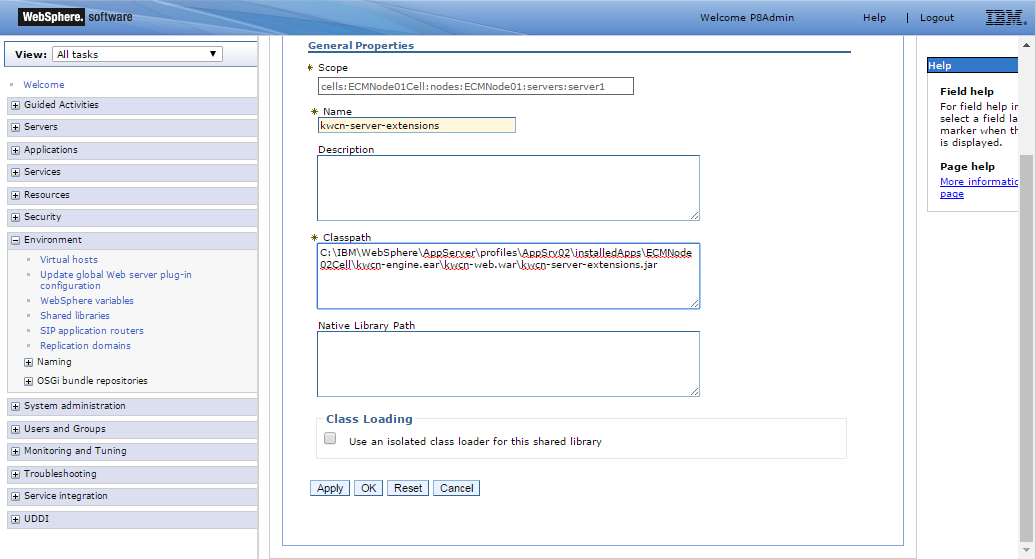
Log into the Websphere Integrated Solutions Console on the application server where IBM Filenet is installed then navigate to Environment → Shared libraries.

Step 2
Open the existing shared library then update the 'Classpath' field with the path of the new server-extensions jar file located in the '\kwcn-engine.ear\kwcn-web.war' directory then click the 'OK' button and save directly to the master configuration