Follow
KwikWork provides users with the ability to follow documents and workflows. Followed items are automatically updated when an action is performed on items so that the follow list always provides users with the most current version of items. This functionality leverages the use of a configurable folder class. Each user must have a folder with their username that is used to log into KwikWork. The following provides an overview of implementing the KwikWork UX follow functionality with a sample "employee class". The following are the steps that should be followed to do so. NOTE: The search template configured for this functionality can be used for notifications allowing users to only track changes to the documents that they are following.
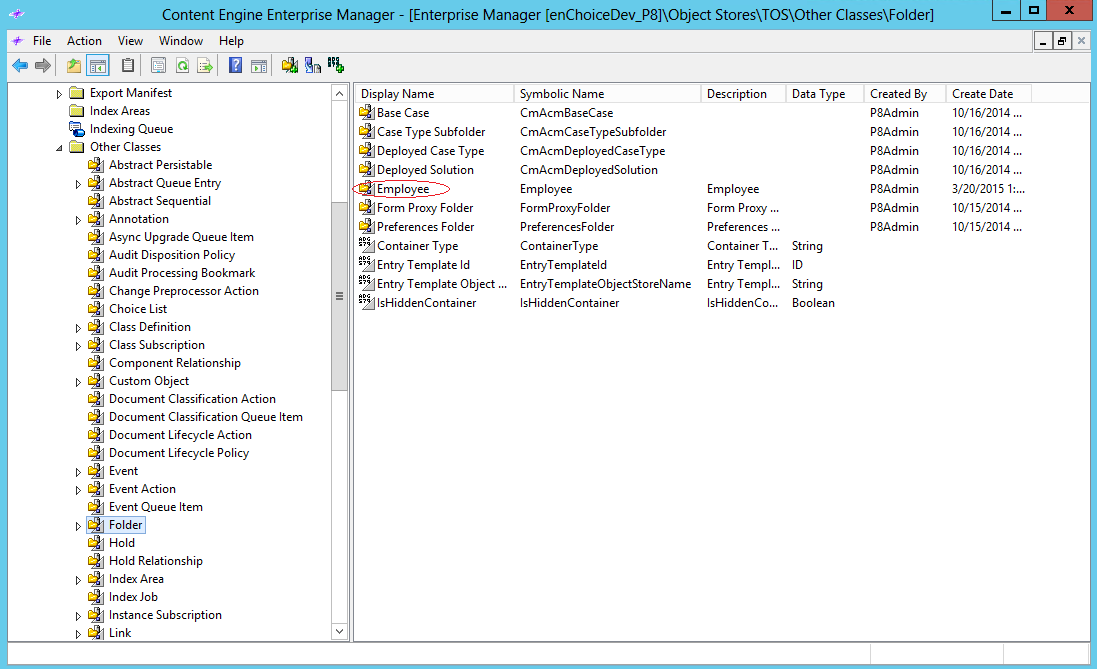
Step 1 - Create employee folder class in FileNet p8
- Create a new Employee folder class in FileNet as shown below. Please refer to the IBM FileNet P8 documentation for further details.
Step 2 - Create User Folders
- Create a a folder called Employees in the root of the object store and sub-folder with the company name.
- Within the company folder, create folders for each user of KwikWork who needs the subscribe/follow functionality using the Employee folder class.
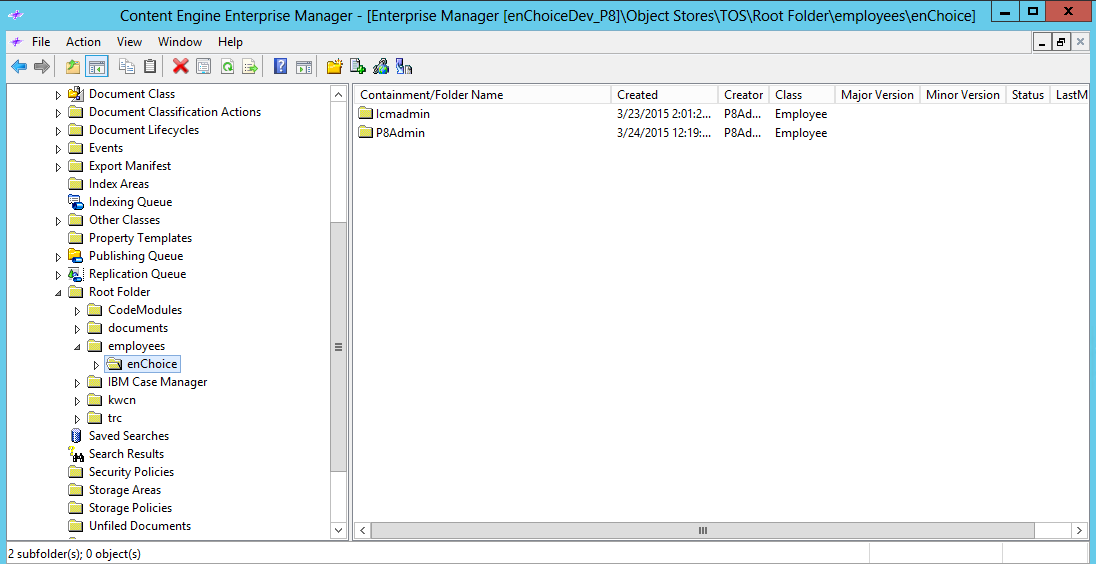
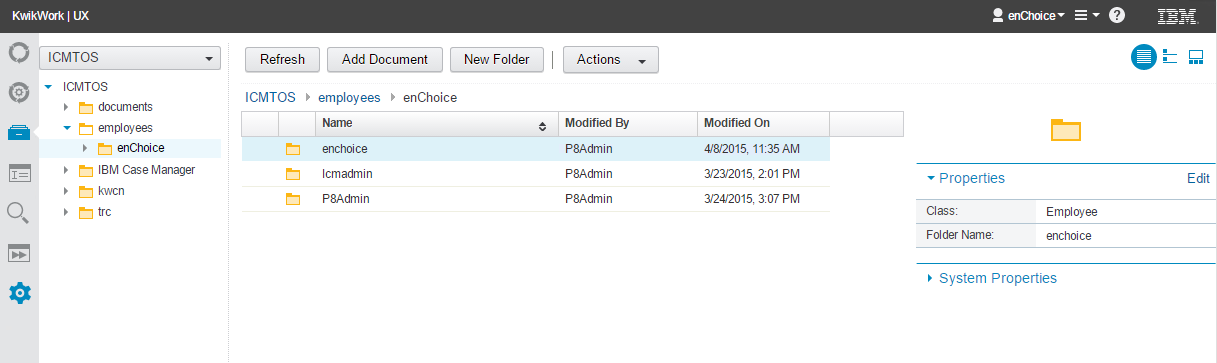
- These steps can be achieved with the use of IBM Content Navigator or FileNet P8. Refer to documentation links provided at the end of this guide.
Step 3 - Create a search template in Content Navigator that searches across all document classes that will be followed.
Step 4 - Configure Follow in KwikWork
- Open the KwikWork Configuration Panel for the desktop that is being configured from the layout tab of the 'Administration View' of the desktop by clicking 'KwikWork UX' from the Features. Click the 'Config Panel'.
- Select the search template that was created in step 3 above from the 'Search Buttons' choice list in the 'Navigation' section.
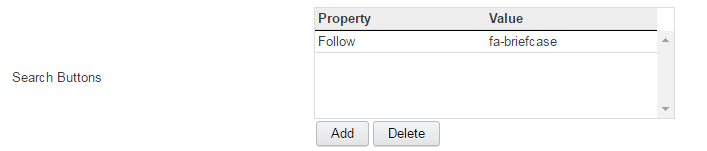
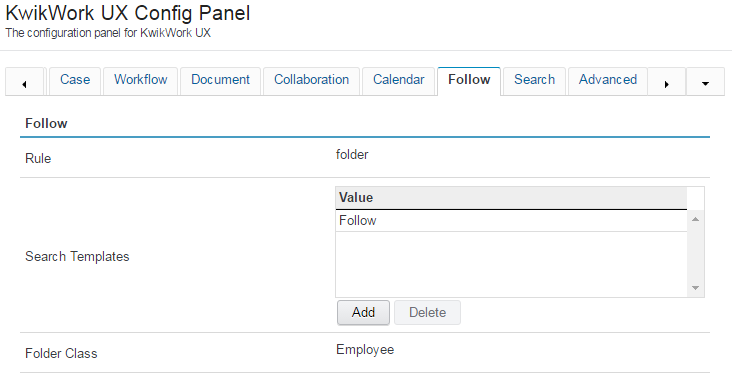
- In the 'Follow' section of the configuration panel, select the search template for the subscribe/follow search in the 'Search Templates' property.
Resources
- IBM FileNet P8 documentation can be located at http://www-01.ibm.com/support/knowledgecenter/SSNW2F_5.2.1/com.ibm.p8toc.doc/welcome_p8.htm
- IBM Content Navigator Documentation can be located at http://www-01.ibm.com/support/knowledgecenter/SSEUEX_2.0.3/contentnavigator_2.0.3.htm
- For KwikWork icons configuration, review the KwikWork Icon documentation located at Icons